
BBMT / Produits / SketchUp Plugins
3D Labeler +
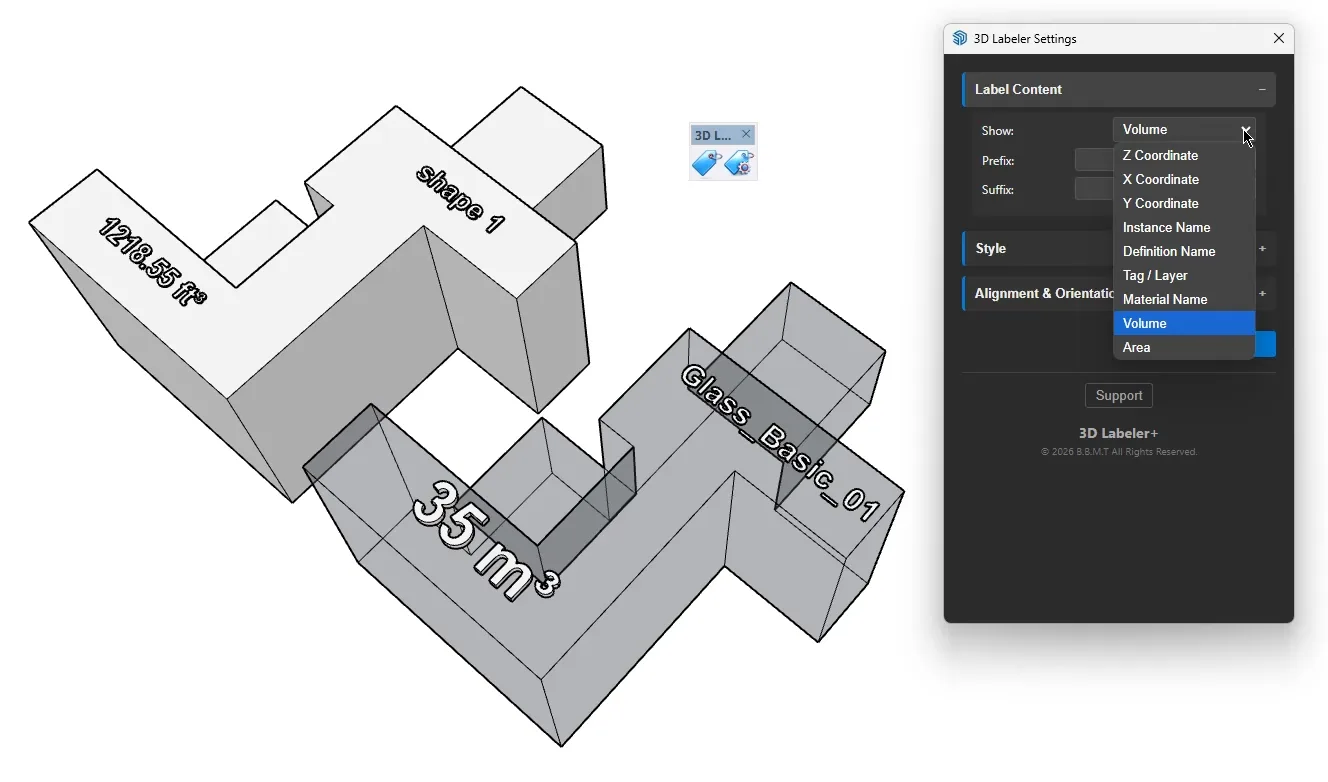
3D Labeler+ creates true 3D text labels from any component or geometry data (name, size, area, Z, etc.).

3D Labeler+ is a professional productivity extension for SketchUp that generates real 3D text geometry (not 2D screen annotations) to label any model information you choose. It is designed for architects, detailers, BIM/CAD workflows, fabrication teams, and anyone who needs labels that remain visible in all render modes, export cleanly, and stay readable from any angle.

Unlike standard SketchUp text/leader notes (which are view-dependent and not true geometry), 3D Labeler+ creates physical 3D labels as groups, making them reliable for presentation, coordination, and downstream exchange (DWG/IFC workflows, rendering exports, documentation views, etc.).

What You Can Label (Pick Your Data)
3D Labeler+ can read and display a wide range of properties from the entity you click or select, including:
Identity & Organization
Component Definition Name
Component/Group Instance Name
Description
Tag/Layer
Material (when applicable)
Entity type (Component, Group, Face, Edge)
Geometry & Measurements
Z Elevation at a picked point (absolute or relative datum)
Bounding box size (W / H / D)
Face Area (when labeling faces)
Edge Length (when labeling edges)
(Available fields may depend on entity type and model conditions.)
Template-Based Labels (Standardize Your Documentation)
Create clean, repeatable label formats using a simple template approach:
Add prefixes and suffixes (ex: “FFL ”, “+”, “ mm”, “ m”)
Multi-line labels for compact readability
Consistent rounding/precision based on your settings
Example use cases:
“Panel A | 2x6 | Tag: WP1 | Z: +0.600”
“Door D12 | 915x2134 | Level: 0.00”
“Beam B07 | W/H/L | Material: LVL”
Smart Placement & Orientation
3D Labeler+ offers robust control over how and where labels appear:
Placement
Click placement at a chosen point
Anchor placement on selected entities (center, top, bottom, corners) where applicable
Offset controls to lift labels above surfaces or keep them readable
Orientation
Auto alignment (smart orientation based on geometry context)
Plane lock options: XY (Flat), XZ (Front), YZ (Side)
Produces predictable, presentation-ready results in 3D views
Styling Controls (Professional Output)
Font family selection
Text height
Extrusion depth (true 3D thickness)
Bold / Italic (when supported by font)
Optional consistent visual styling so labels match your office standards
Persistent Settings
Your configuration is saved locally so your preferred label style and data selection are ready the next time you open SketchUp:
No need to reconfigure every session
Repeatable output across projects and teams
Typical Workflows
Model coordination: label key objects with name/tag/material and export snapshots or CAD files.
Fabrication prep: show component definition names and sizes directly in 3D.
Architecture/BIM handoff: attach readable metadata in 3D for downstream teams.
Site levels and datums: produce consistent elevation tags with offsets.