

BBMT / Produits / SketchUp Plugins
SyNc
Link, sync, repath, and manage external SketchUp-supported model references in one place.

SyNc is a powerful model linking and synchronization plugin for SketchUp designed to streamline workflows involving multiple external files. It allows users to link, manage, and automatically update external models such as .SKP, .DWG, and .IFC directly within their SketchUp environment.

Instead of manually re-importing updated files, SyNc keeps your project connected to its sources. When a linked file changes, you can instantly synchronize it with a single click, ensuring your model is always up to date.
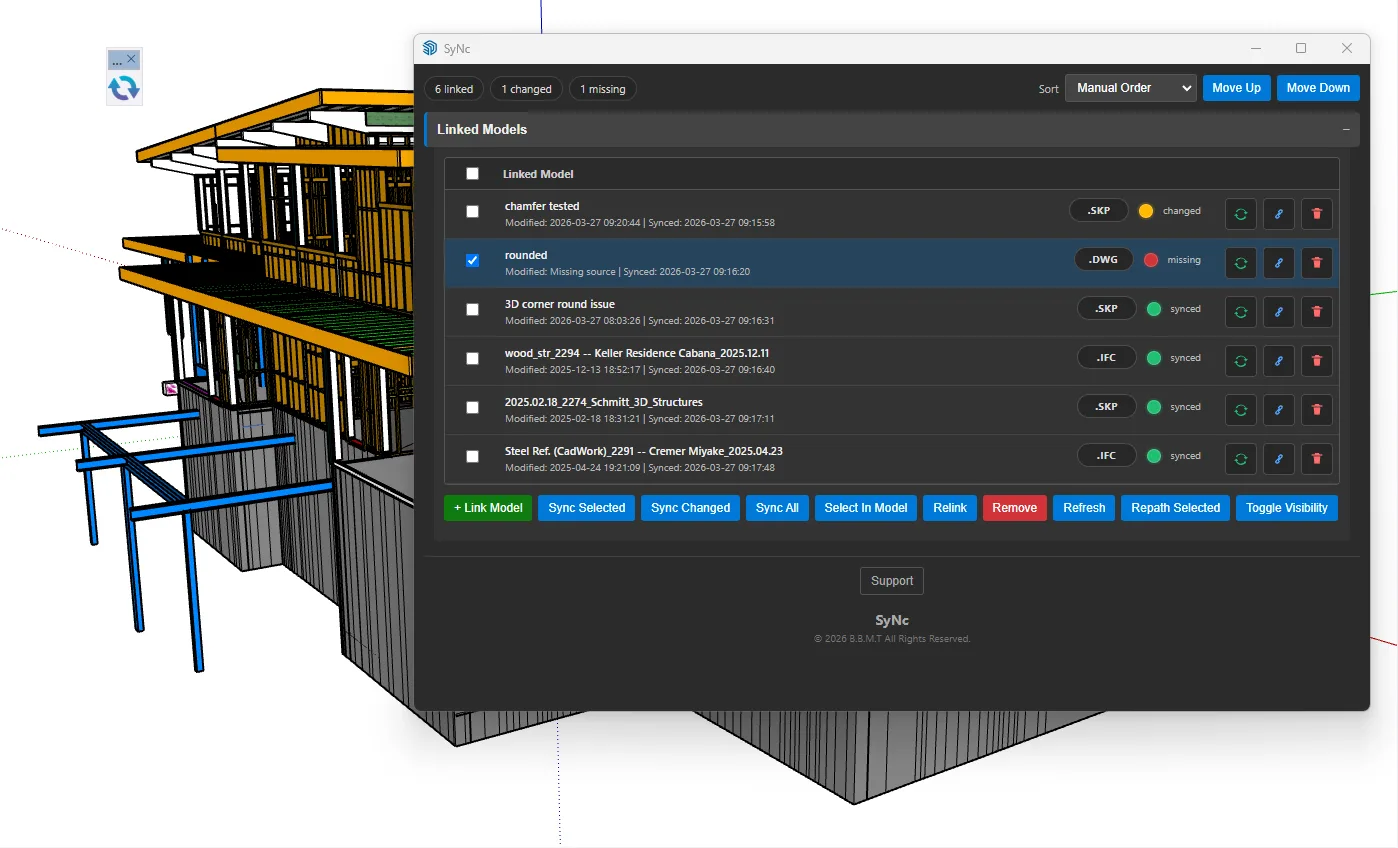
🔑 Key Features External Model Linking Easily link multiple external files into your SketchUp project. Real-Time Status Tracking Each linked model displays its state: Synced Changed Missing One-Click Synchronization Update selected models or all models at once using Sync Selected or Sync All. Relink & Path Management Quickly fix broken links or update file paths without re-importing. Selective Control Show, hide, remove, or isolate linked models with simple controls. Persistent Links All linked models are saved within the project and restored on reopen. Manual Order Control Reorder linked models to manage visibility and priority. 🚀 Workflow Benefits
SyNc is ideal for workflows where models are created or modified in different software (CAD, BIM, or other SketchUp files). It reduces repetitive tasks, minimizes errors from outdated imports, and improves collaboration across teams.
Whether you’re working on architectural projects, structural coordination, or modular design, SyNc ensures your SketchUp scene remains consistent with external data sources.
💡 Use Cases Architects coordinating with CAD drawings Engineers updating structural models Teams sharing evolving project files Large projects with modular components