

All products

BBMT / Products / SketchUp Plugins

3d Text

Editable, parametric 3D Text for SketchUp: double-click to edit content, font, height, thickness, and line spacing.

3,403 usersAvailable

3D Text Editor for SketchUp — Editable, Parametric 3D Text Geometry
3D Text Editor by B.B.M.T upgrades SketchUp’s native 3D Text workflow by creating smart, editable 3D text objects. Native 3D text generates static geometry that is difficult to modify after creation; if you need to fix a typo, change font, adjust size, or update thickness, you often must delete and recreate the text. 3D Text Editor solves this by keeping your text parametric and re-editable at any time.

Key Benefits

Edit anytime (non-destructive): Text remains editable. Update content and formatting without rebuilding from scratch.

Double-click to edit: Simply double-click any text created by the extension to reopen the editor with the original settings.

Precise control: Enter exact values for Height and Extrusion (thickness) for consistent typography across a model.

Better multi-line control: Create multi-line 3D text with adjustable line spacing, producing clean, predictable layouts.

Consistent alignment: Text is automatically left-aligned to ensure stable placement and repeatable edits.

Streamlined UI

A single compact editor window (350×450) keeps all controls in one place:
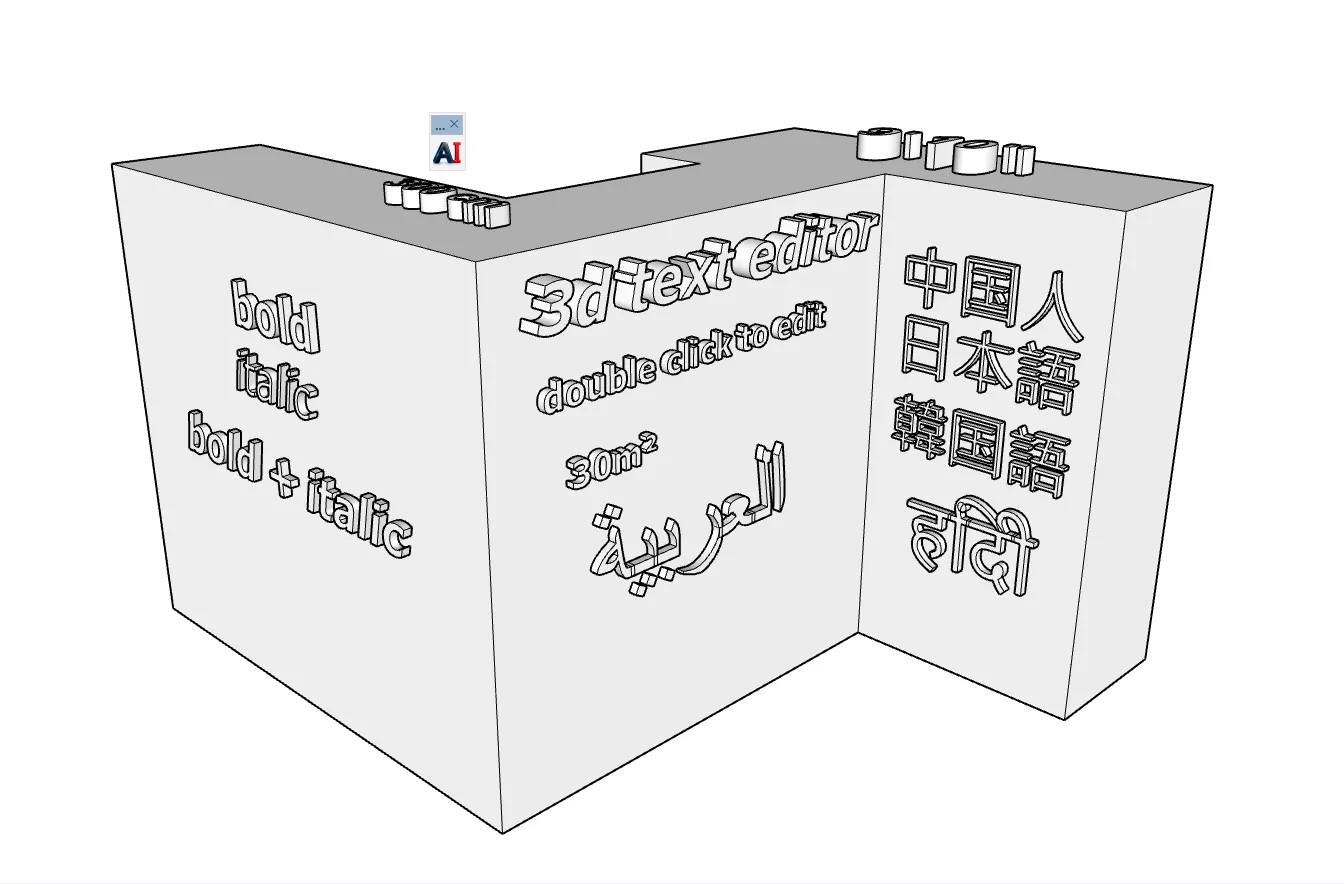
Content and multi-line input

Font selection

Height and Extrusion inputs

Style options and quick tools

The UI is theme-aware and can adapt to system light/dark mode for comfortable use.

Workflow Enhancements

Smart persistence: Remembers last-used settings (font, size, thickness) across sessions.

Keyboard shortcuts:

Enter: Apply / Update

Shift + Enter: New line

Esc: Cancel

Superscript helper: Quick-access insertion for common superscript characters.