
BBMT / Products / SketchUp Plugins
3D Z Labeler
The 3D Z Labeler automates the creation of 3D text labels for elevation heights.

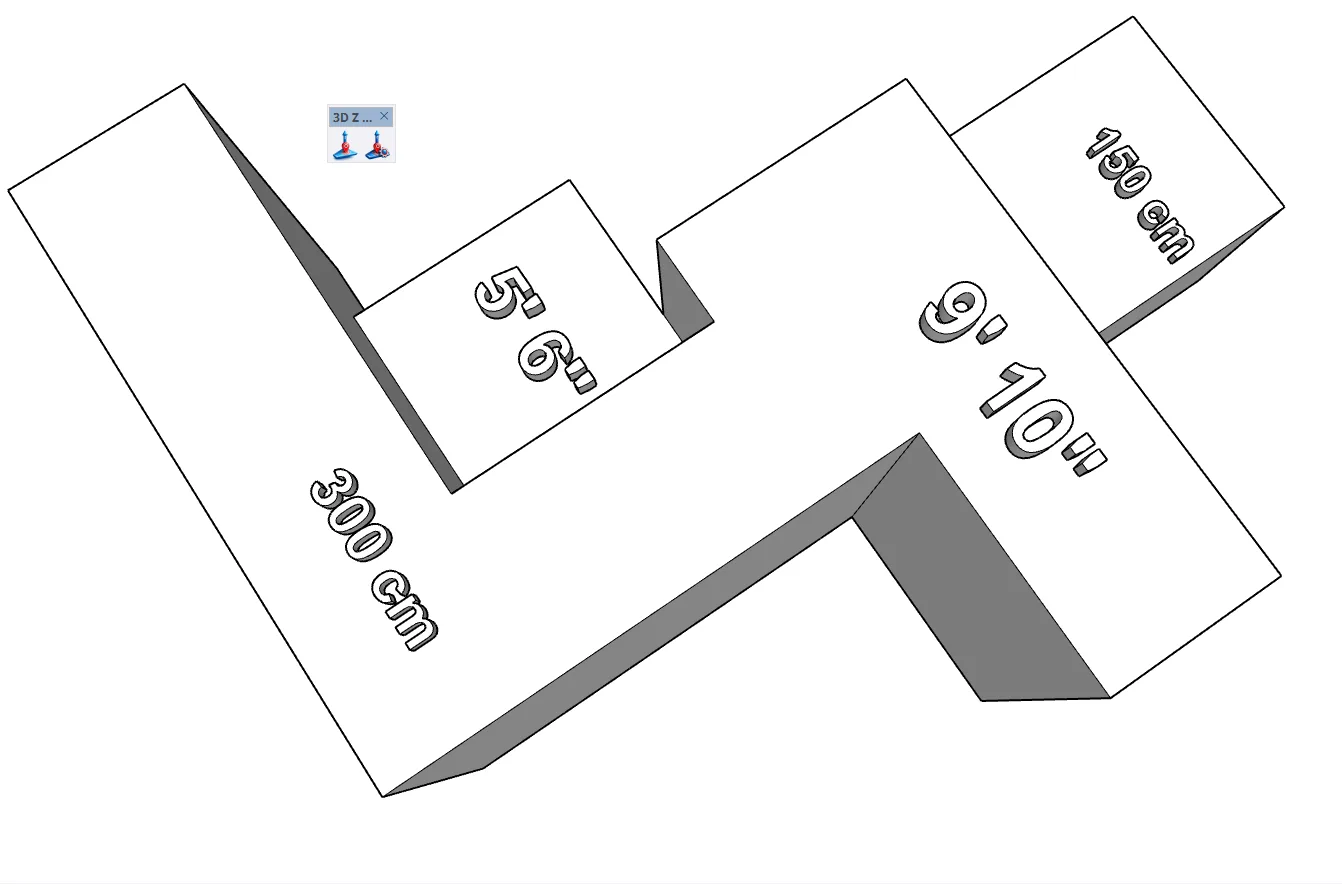
The 3D Z Labeler is a powerful productivity tool for SketchUp that automates the creation of 3D text labels for elevation heights. Unlike standard 2D text, these labels are real 3D geometry, ensuring they remain visible in all render modes, export cleanly to other CAD/BIM software, and maintain readability from any angle.
Key Features:
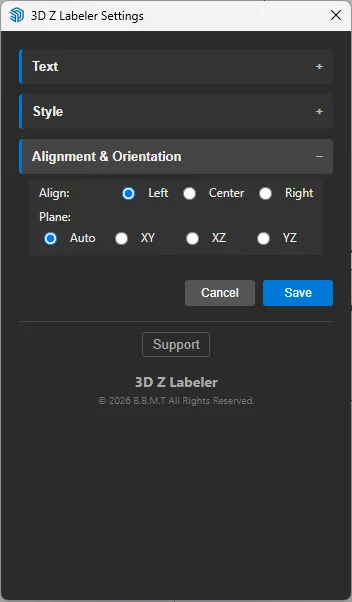
Automatic Z-Reading: Simply click any point on your model to instantly generate a 3D label displaying its exact Z height. True 3D Text: Creates physical geometry (groups) rather than 2D screen text, allowing for clash detection and proper visibility in 3D exports (IFC, DWG, etc.). Customizable Content: Easily add Prefixes (e.g., “FFL +”) and Suffixes (e.g., “m”) to standardizes your documentation. Smart Orientation: Labels defaults to “Auto” alignment based on face normals, or can be locked to XY (Flat), XZ (Front), or YZ (Side) planes. Rich Styling: Full control over Font family, Text Height, Extrusion Depth, Bold, and Italic styles. Relative Elevations: Set a “Relative Z” offset to measure heights from a specific datum level (e.g., Finished Floor Level) rather than the absolute model origin. Persistent Settings: Your configuration is automatically saved to a local file, ensuring your preferred styles are ready every time you open SketchUp.
How to Use:
Select the Tool: Click the “Z Elevation” icon in the toolbar. Configure: Click the “Settings” icon (gear) to open the collapsible UI. Adjust your text formatting, prefixes, and alignment. Place: Click anywhere on your model. The tool will calculate the Z-coordinate (applying any relative offsets) and place the 3D text label at that location. Author: Taher Company: B.B.M.T