

BBMT / Products / Revit ToOls
RCTB
Revit Class Table Builder is a lightweight Windows tool for creating, editing, organizing, and exporting Revit Assembly Codes and Keynotes through a clear visual interface.

RCTB – Revit Class Table Builder
RCTB is a professional Windows application for creating, editing, organizing, and maintaining Revit Assembly Code classifications and Keynote libraries through a clear visual interface.
Designed for BIM managers, architects, engineers, contractors, estimators, and design teams, RCTB replaces the difficult process of manually editing tab-delimited Revit text files. It provides structured tools for managing classification hierarchies, updating keynote relationships, validating data, and exporting correctly formatted files that can be used directly in Autodesk Revit.
Whether you are preparing company BIM standards, creating a new project template, updating an existing classification system, or building project-specific keynote libraries, RCTB helps you work faster while reducing formatting mistakes and broken references.
Visual Assembly Code Management
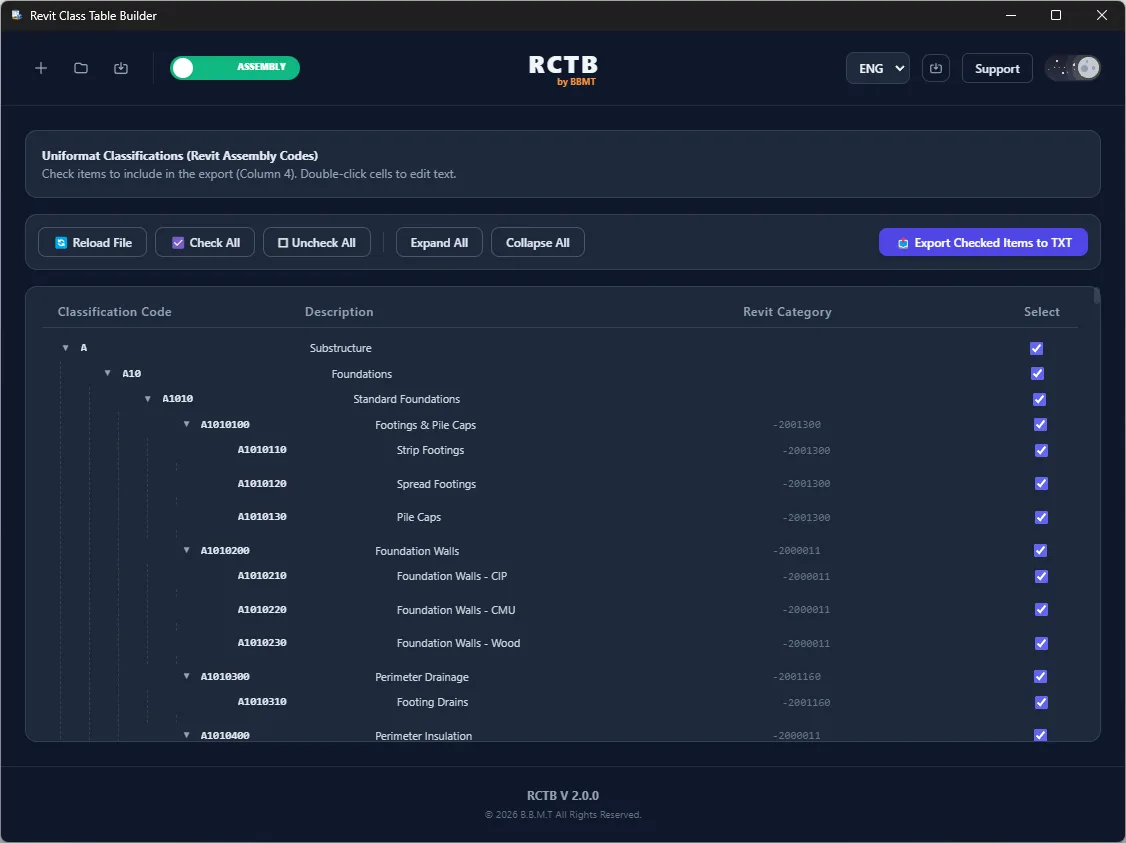
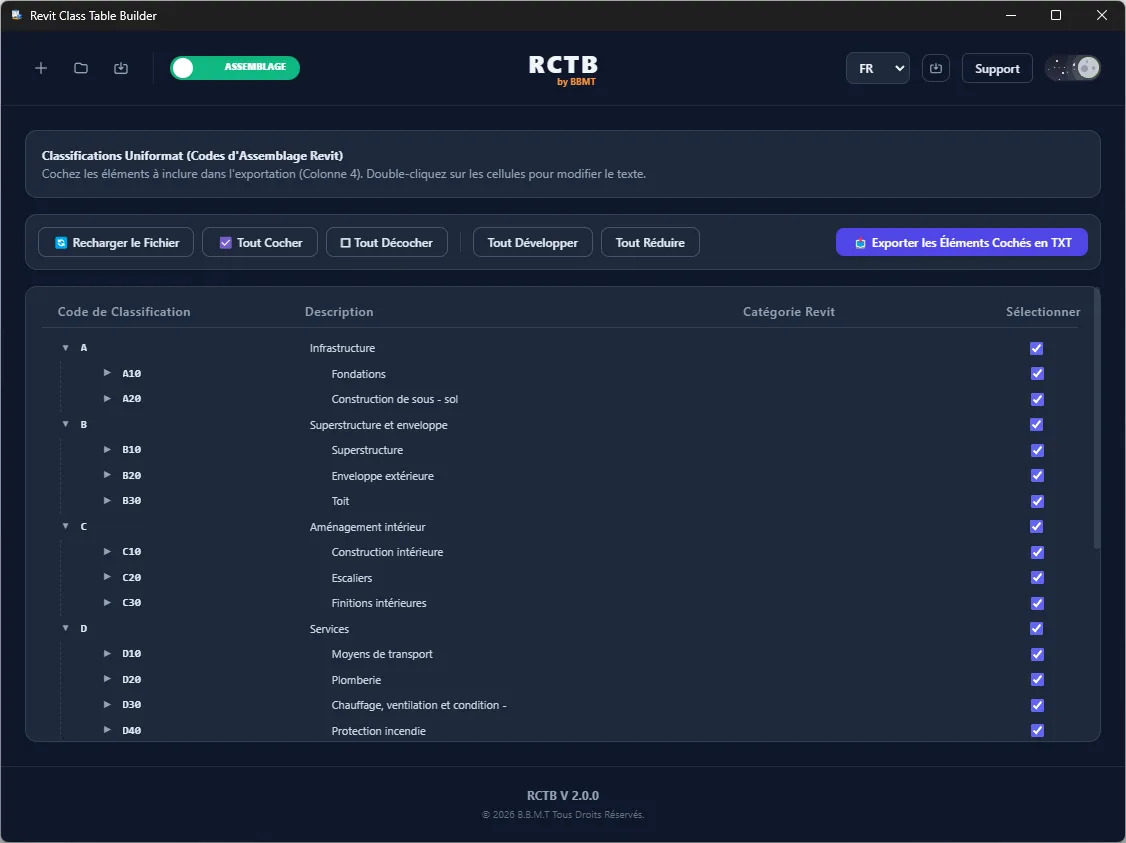
Revit Assembly Codes are commonly managed through text files that can become difficult to understand as the classification hierarchy grows. RCTB presents this information as an organized expandable tree, making the relationship between categories, subcategories, and individual classification items easier to review.
Users can expand and collapse hierarchy levels, create new entries, rename existing items, remove unnecessary classifications, and reorganize the structure using drag-and-drop controls.
RCTB automatically maintains the hierarchy level and parent-child relationships while the structure is being edited. This allows users to focus on the classification system itself without manually managing every tab, level number, or line position.
Inactive or unselected items can be visually dimmed, helping users distinguish between the complete classification library and the items intended for the current project.
Revit Keynote Editor
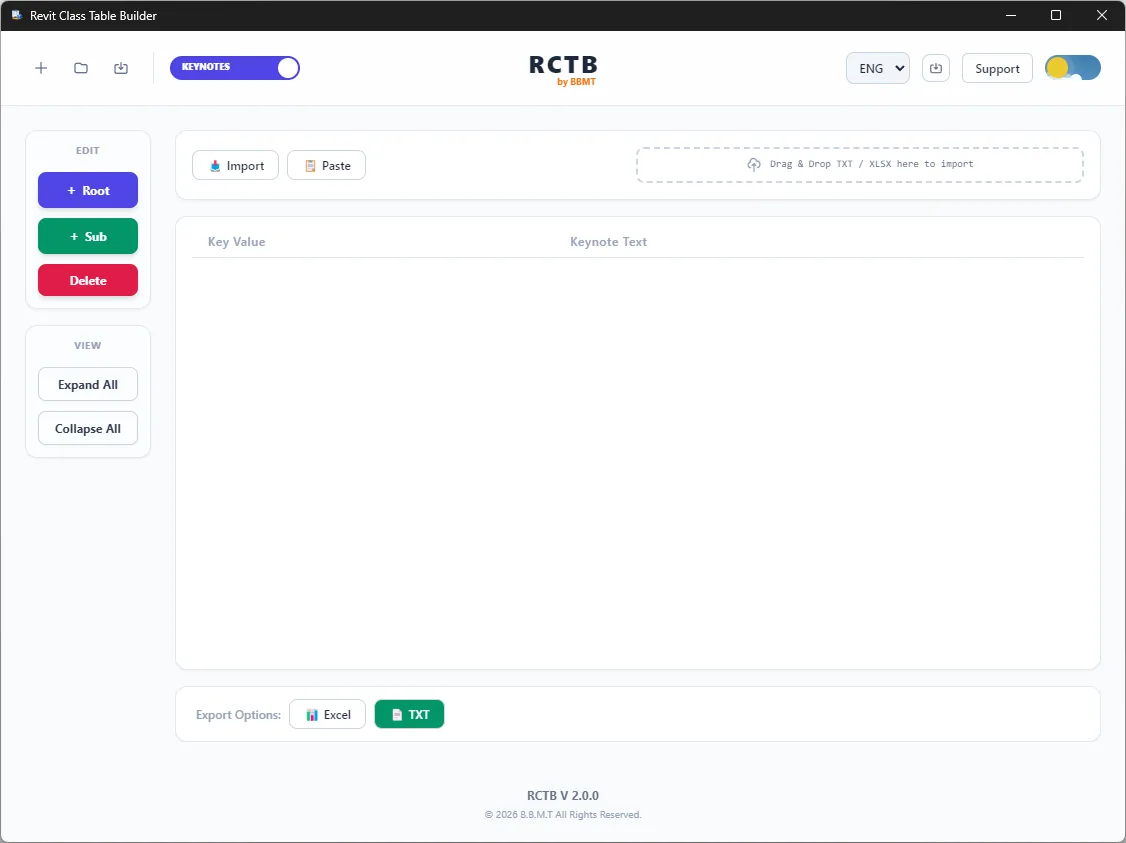
RCTB includes a dedicated editor for creating and managing Revit Keynote files.
Keynote values, descriptions, and parent relationships are displayed in a structured table that is easier to navigate than a standard text editor. Users can add, edit, search, filter, sort, and reorganize keynote entries without working directly inside a raw tab-delimited file.
When a parent key is changed, RCTB can update the related child references to help maintain a valid keynote hierarchy. Built-in validation identifies common problems such as duplicate keys, missing parents, invalid relationships, and circular references before the file is exported.
Existing keynote data can also be imported from supported Excel spreadsheets, making it easier to migrate company standards or update large keynote libraries.
Selective Classification Export
Not every project requires the complete company classification library. RCTB allows individual Assembly Code items and hierarchy branches to be selected using built-in checkboxes.
Users can maintain one complete master classification file and create smaller project-specific versions by selecting only the required categories.
The exported file contains the selected items while preserving the necessary hierarchy and parent information. This helps reduce unnecessary content inside Revit projects and keeps classifications focused on the current building type, project phase, discipline, or trade package.
RCTB can therefore be used to create:
Company-wide master classification systems
Project-specific Assembly Code files
Discipline-specific classification subsets
Estimating and cost-code structures
Trade-package classification files
Custom keynote libraries
Reusable BIM standard templates
Drag-and-Drop Hierarchy Editing
Classification structures can be reorganized directly within the tree.
Categories, groups, and individual items can be moved to new locations using drag-and-drop controls. RCTB updates the affected hierarchy information automatically and helps preserve a valid structure during the editing process.
This is particularly useful when an existing classification system must be adapted to match a company standard, project requirement, costing structure, or internal naming convention.
Search, Filtering, and Data Review
Large Assembly Code and Keynote libraries can contain hundreds or thousands of entries. RCTB includes search and filtering tools that make it easier to locate specific codes, descriptions, keys, categories, or parent items.
Users can quickly review the data, identify duplicate or outdated entries, and focus on the part of the classification system currently being modified.
The visual interface also makes it easier to understand how information will appear and behave in Revit before the final file is generated.
Excel Import Support
RCTB can import supported Keynote information from Excel, allowing structured spreadsheet data to be converted into a Revit-compatible keynote system.
This provides a practical workflow for organizations that currently manage classifications, notes, specifications, or standard descriptions in spreadsheets.
Imported data can be reviewed, reorganized, validated, and corrected inside RCTB before being exported to the final Revit text format.
Revit-Compatible Export
RCTB generates properly structured tab-delimited text files for use with Revit Assembly Codes and Keynotes.
The application manages formatting requirements such as:
Tab-separated values
Correct hierarchy levels
Parent-child relationships
Consistent line formatting
Character encoding
Required classification columns
Keynote values and descriptions
Selected-item filtering
This helps prevent common errors caused by manually editing text files, including missing tabs, incorrect hierarchy levels, duplicate identifiers, invalid parent references, and inconsistent encoding.
The exported files can be assigned through Revit’s Assembly Code and Keynote settings and used across project templates and company standards.
Native RCTB Project Files
In addition to exporting Revit text files, RCTB uses its own .rctb project format.
An RCTB project can preserve work that is not yet ready for final export, including hierarchy changes, selected and unselected items, draft keynote data, project settings, and other editing information.
This allows users to save their progress, close the application, and continue working later without losing their current configuration.
RCTB project files can also be associated with the application so they can be opened directly from Windows File Explorer.
Validation and Error Prevention
RCTB includes validation tools to identify issues before a classification or keynote file is loaded into Revit.
Depending on the file type and data structure, validation can detect:
Duplicate codes or keynote values
Missing parent items
Invalid hierarchy relationships
Circular keynote references
Incomplete required fields
Incorrect level assignments
Unsupported structural conditions
Potential export formatting problems
By identifying these issues earlier, RCTB reduces the time spent troubleshooting files that Revit cannot load correctly.
Dark and Light Themes
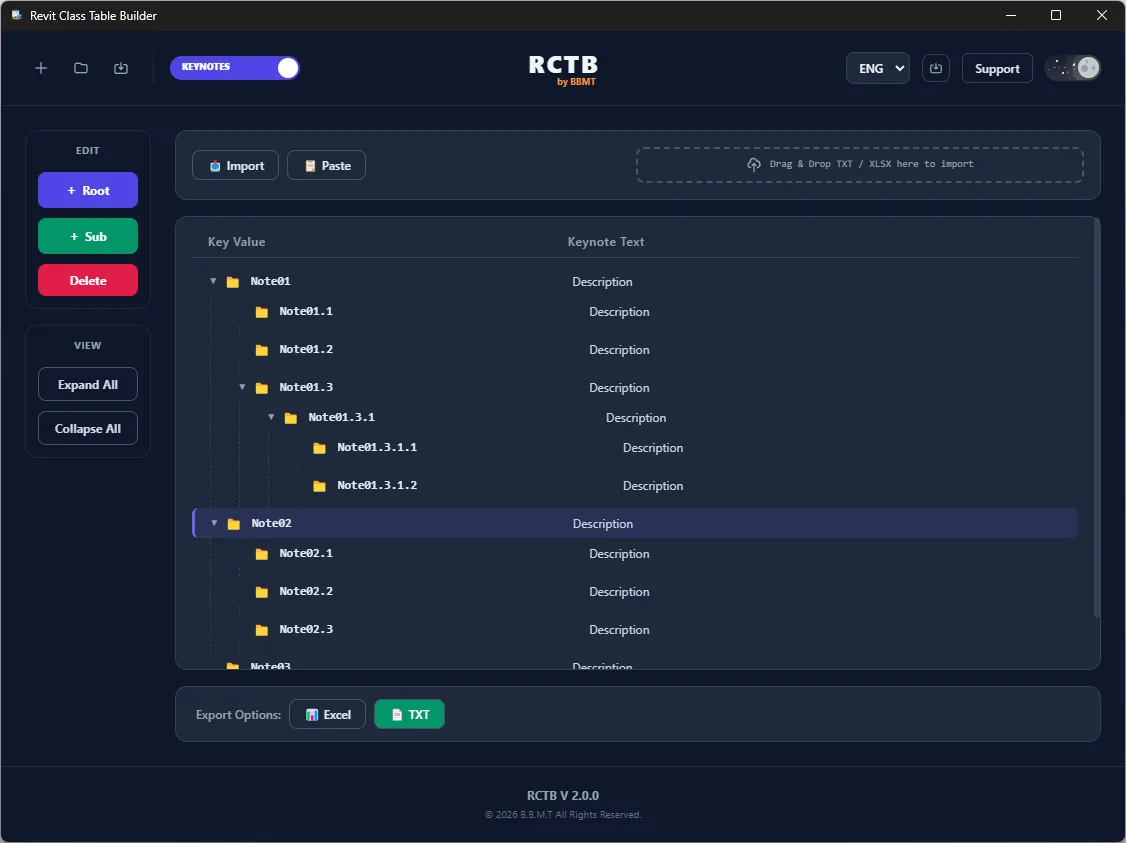
RCTB includes both dark and light interface themes.
Dark mode provides a high-contrast workspace suited to extended BIM management sessions, while light mode offers a clean and familiar professional interface. The selected theme is saved automatically and restored the next time the application is opened.
The interface is designed to remain simple and focused, providing the tools needed for classification management without unnecessary visual clutter.
Local and Private Processing
RCTB operates entirely on the user’s computer.
Assembly Code files, Keynote files, spreadsheets, project files, and classification data are not uploaded to external servers. No cloud connection is required to create, edit, validate, or export your information.
This local-first approach helps organizations maintain control over internal BIM standards, proprietary classification structures, project notes, specifications, and estimating data.
Designed for BIM Standardization
RCTB can support a wide range of Revit management and standardization workflows.
BIM Managers
Create and maintain consistent company-wide Assembly Code and Keynote standards. Build master libraries, prepare project-specific subsets, and identify formatting or hierarchy issues before files are distributed to project teams.
Architects and Designers
Create custom keynote libraries for project documentation, details, materials, assemblies, and specification references without manually editing text files.
Engineers
Organize discipline-specific classification systems and keynote structures for structural, mechanical, electrical, and other engineering workflows.
Contractors
Prepare classification files that correspond to trade packages, construction phases, scopes of work, or internal project structures.
Estimators
Align Revit model classifications with estimating categories, cost codes, work breakdown structures, and quantity takeoff workflows.
BIM Consultants
Review, clean, restructure, and standardize client classification systems while delivering reusable RCTB project files and Revit-compatible exports.
A Better Way to Manage Revit Classification Data
RCTB brings Assembly Code and Keynote management into one dedicated desktop application.
Instead of manually navigating complex text files, users can work with visual hierarchies, structured tables, drag-and-drop editing, selective exports, validation tools, and reusable project files.
RCTB helps BIM teams create cleaner standards, maintain more reliable classification data, reduce avoidable errors, and produce Revit-ready files with greater speed and confidence.