

BBMT / Products / IFC ToOls
UnIFC
UnIFC is a professional IFC federation and coordination tool for reviewing, aligning, transforming, and merging multiple models into one coordinated project.

UnIFC – Universal IFC Consolidator
UnIFC is a professional Windows desktop application for reviewing, coordinating, transforming, organizing, and consolidating multiple IFC models within a single project environment.
Designed for BIM managers, VDC coordinators, architects, engineers, construction teams, fabricators, and BIM consultants, UnIFC provides a practical workflow for combining architectural, structural, mechanical, electrical, plumbing, and fabrication models without requiring BIM authoring software.
Users can load multiple IFC files, inspect them in an interactive 3D environment, correct their alignment, organize their spatial hierarchy, apply transformations, and export a coordinated IFC model while preserving important source information.
Multi-Model Project Management
UnIFC provides a unified workspace for managing multidisciplinary IFC projects.
Multiple IFC files can be added through drag-and-drop or file selection. Complete coordination sessions can then be saved as native .unifc project files and reopened later without rebuilding the workspace.
Saved projects preserve source-file references, model transformations, hierarchy settings, grouping rules, viewer preferences, and other project configurations.
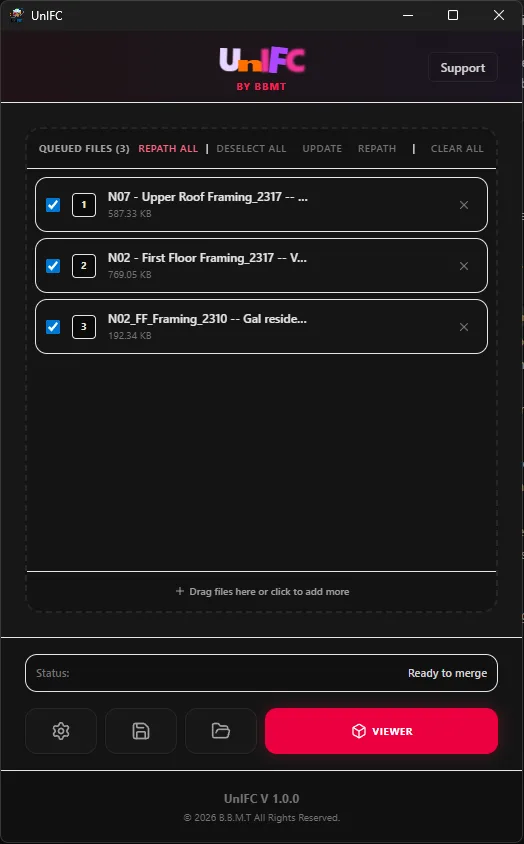
When source files are moved, renamed, or revised, UnIFC helps identify missing paths and reconnect the affected models.
Advanced 3D Model Viewer
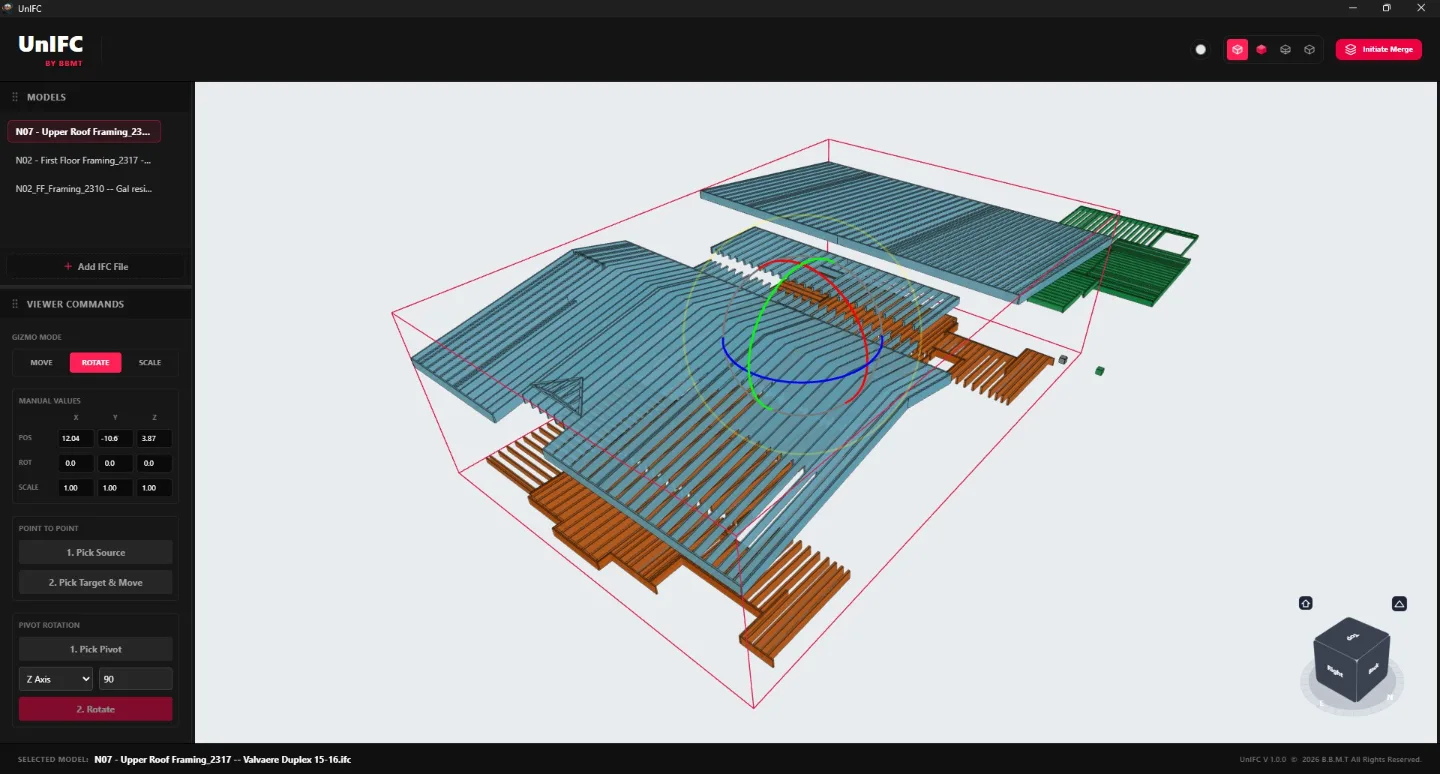
The integrated 3D viewer allows users to navigate, review, and coordinate multiple IFC models in one federated environment.
Models can be viewed using perspective or orthographic cameras and inspected through an interactive navigation cube. Users can select individual elements, highlight geometry, review model placement, and switch between different visualization styles.
Available display modes include standard IFC rendering, conceptual visualization, wireframe, and hidden-edge views. Viewer backgrounds and other visual settings can also be customized to improve model readability.
UnIFC is designed to handle complex coordination projects containing models from several disciplines while maintaining a clear and responsive workspace.
Precision Model Alignment
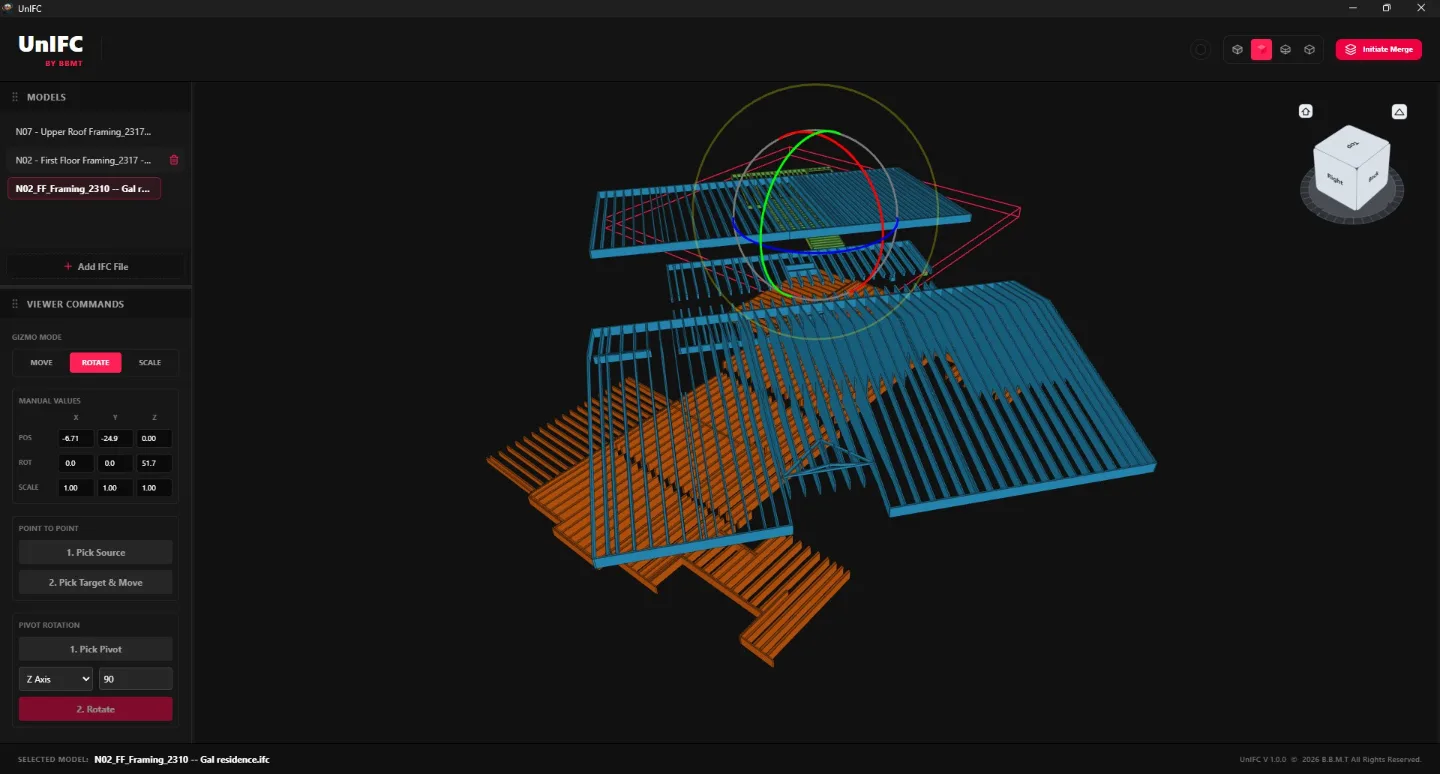
Imported IFC models are not always created using the same origin, rotation, elevation, scale, or coordinate system. UnIFC provides precise transformation tools to correct these differences before consolidation.
Users can move, rotate, and scale complete models using interactive controls or exact numerical values. Point-to-point snapping can be used to align known vertices or reference locations between models.
Additional alignment tools include custom pivot placement, coordinate transformations, and Metric-to-Imperial or Imperial-to-Metric unit conversion.
Applied transformations remain associated with their source models and can be preserved inside the .unifc project or included during IFC export.
Intelligent Spatial Organization
UnIFC helps organize imported models into a clear and consistent BIM hierarchy.
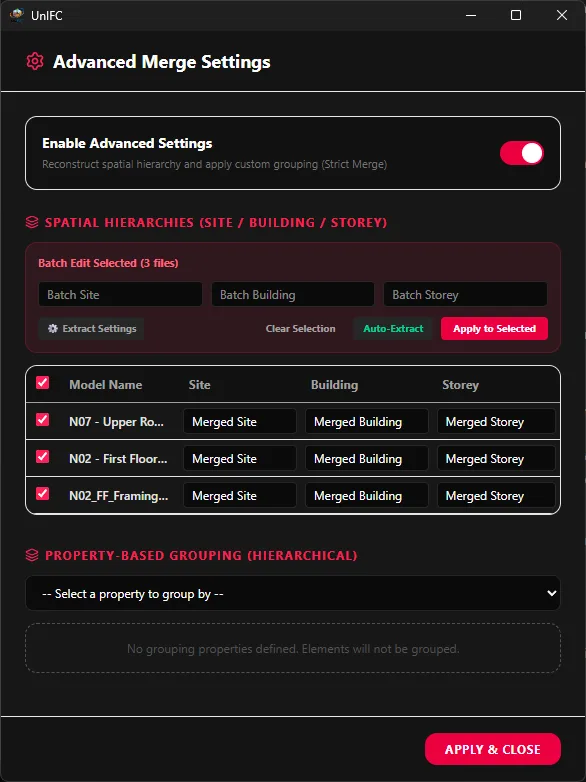
Site, Building, and Storey information can be extracted automatically from IFC data or derived from configurable filename rules. Users can review the detected structure, override values manually, and define how models should be grouped inside the consolidated project.
This is especially useful when coordinating files received from different disciplines, consultants, software platforms, or fabrication systems that do not follow the same naming and hierarchy standards.
UnIFC can also create organized groups and assemblies while maintaining persistent identifiers for generated spatial structures and property-based groupings.
IFC Consolidation and Merging
Once the models have been reviewed and aligned, UnIFC can consolidate them into a unified IFC file.
The consolidation engine applies each model’s transformation matrix, combines the selected project content, and rebuilds the required IFC relationships in the exported file.
Source properties, quantities, identifiers, and relevant metadata are preserved wherever possible. UnIFC also maintains references to the original model and element information to support traceability after merging.
Standard and stricter IFC4 consolidation workflows are available for different project requirements.
Model Editing and Metadata Control
UnIFC includes tools for reviewing and modifying IFC information directly within the coordination environment.
Users can inspect element attributes, property sets, quantities, classifications, hierarchy assignments, and other metadata. Supported values can be corrected or updated before the coordinated model is exported.
These capabilities help standardize information received from multiple sources and improve the quality of the final IFC deliverable.
Reporting and Traceability
Every consolidated project can generate detailed reports describing how the output was produced.
Reports can include source-file information, original and generated identifiers, model transformations, hierarchy assignments, grouping operations, Express IDs, GlobalIds, merge actions, and processing results.
Excel and JSON report formats provide structured information for coordination reviews, QA/QC, documentation, and downstream processing.
When an issue prevents an element or relationship from being merged correctly, detailed error logs help identify the affected source file and IFC entity.
Flexible Professional Workspace
UnIFC provides a configurable interface designed for BIM coordination work.
Panels can be docked, resized, reorganized, or hidden depending on the current task. Users can create a layout focused on model review, alignment, hierarchy management, metadata editing, or consolidation.
Workspace settings are preserved between sessions, allowing users to return to a familiar project environment.
Native Windows Integration
UnIFC integrates with Windows through native .unifc project files, file associations, persistent application settings, and automatic workspace restoration.
Projects can be opened directly from File Explorer, and recent workspaces can be restored without manually reloading every source model.
Local and Private Processing
All IFC loading, viewing, editing, alignment, and consolidation operations are performed locally on the user’s computer.
No cloud service is required, and project files are not uploaded to external servers. This allows organizations to retain full control over confidential design, engineering, coordination, and fabrication data.
Designed For
UnIFC is suitable for:
BIM managers and BIM coordinators
VDC teams
Architects and engineers
Structural and MEP consultants
Construction managers
General contractors
Fabricators and manufacturers
Digital construction teams
IFC specialists and BIM consultants
A Complete IFC Coordination Environment
UnIFC brings IFC visualization, project management, model alignment, hierarchy organization, metadata editing, reporting, and consolidation into one professional desktop application.
It helps multidisciplinary teams coordinate models more efficiently, maintain better control over project information, and produce organized, traceable IFC deliverables with greater confidence.